How do I delete a user?
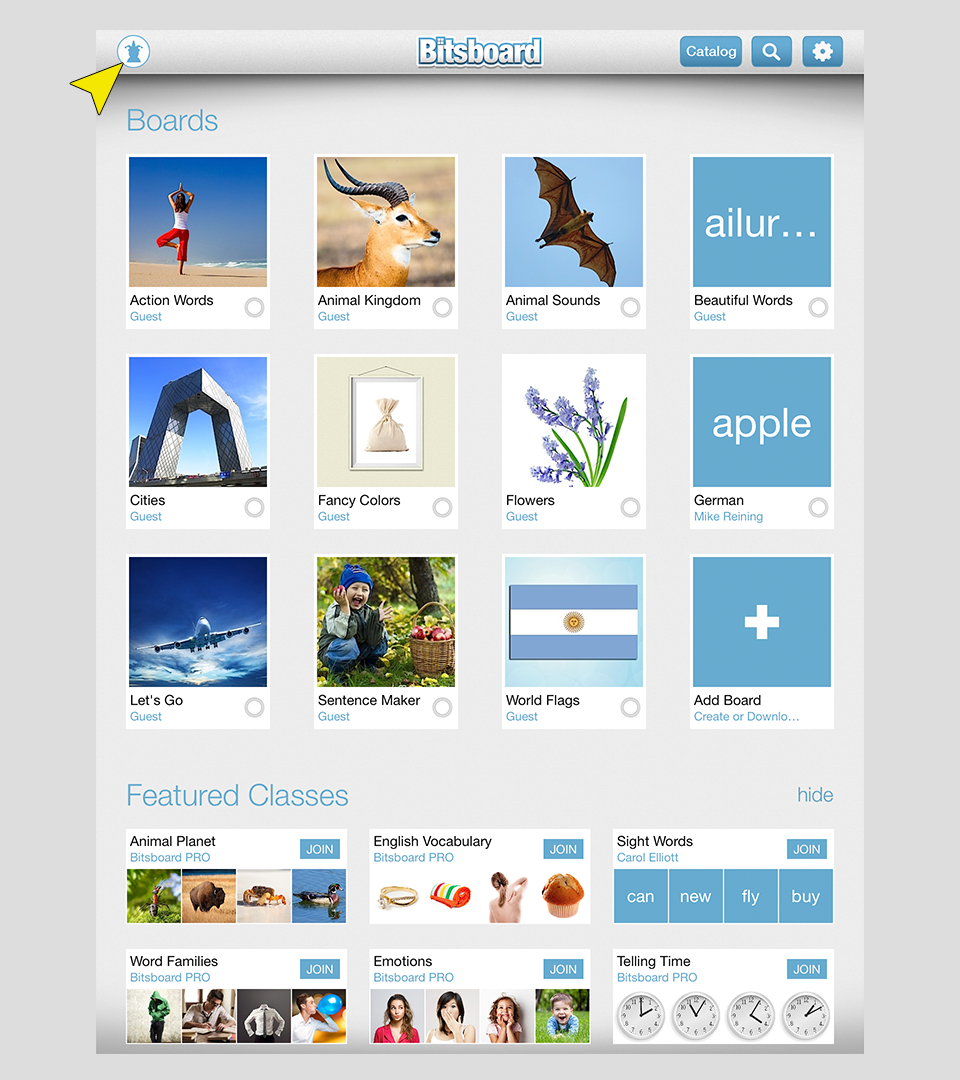
Step 1 - Go to the switch user page
From the main screen, press on the user icon in the top left.
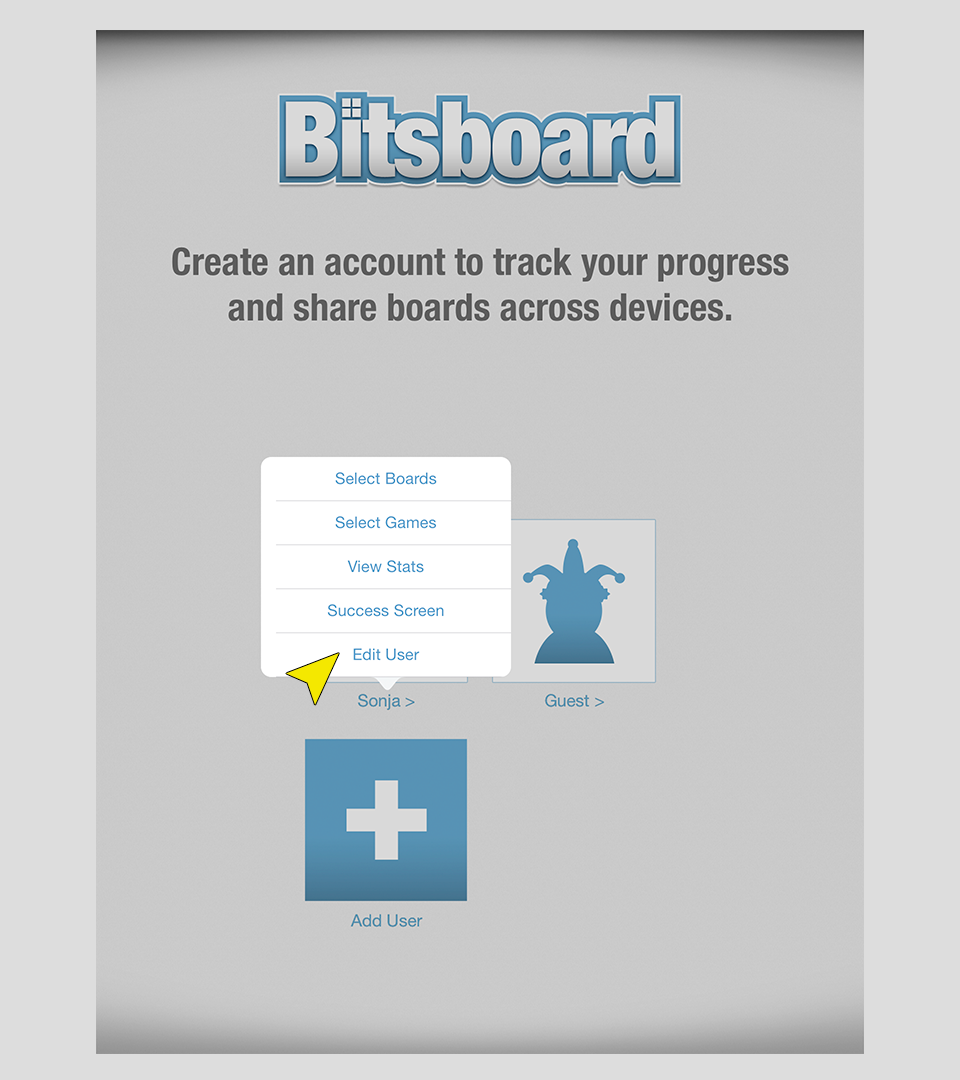
Step 2 - Press on the user name
Now press on the username (not the image... just the name) of the user that you want to delete. You will now see a menu pop up with multiple options. Press on "Edit user"
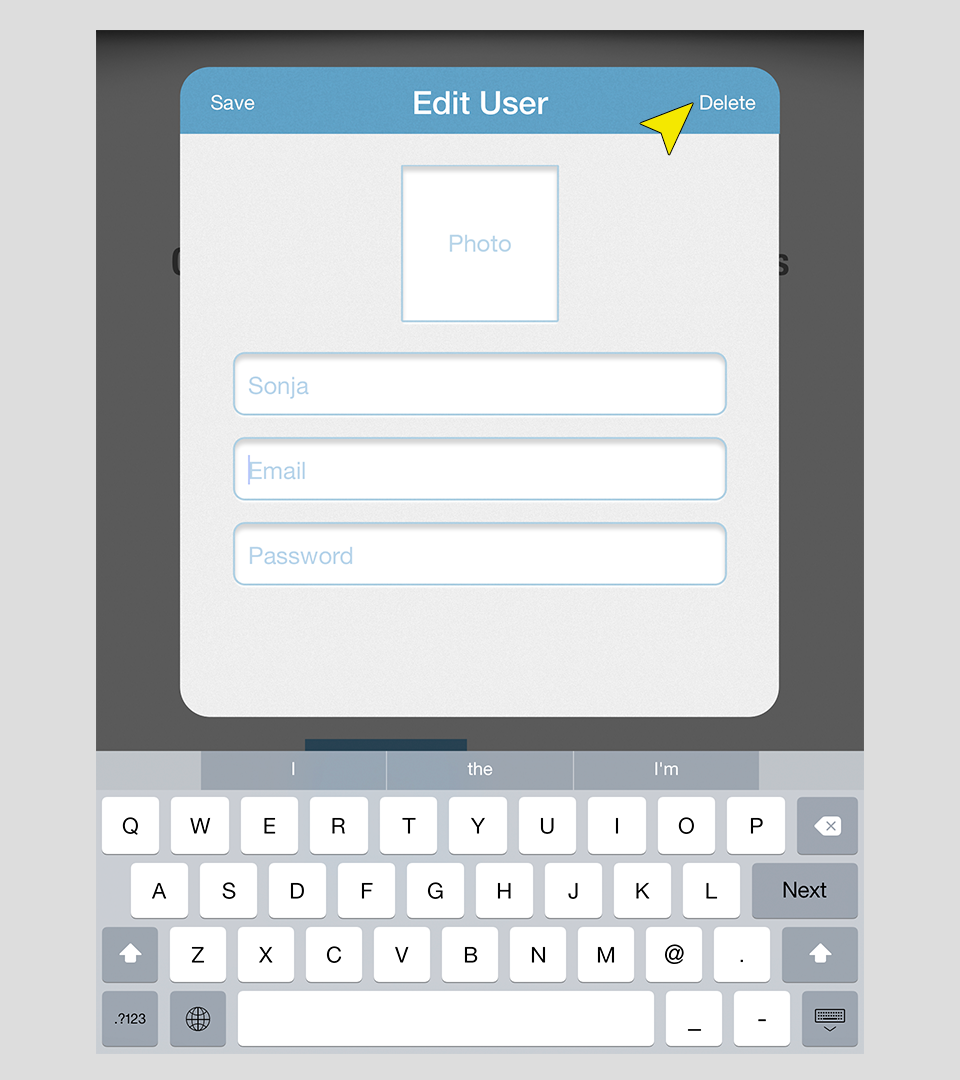
Step 3 - Delete user
Now press on the delete button in the top left of the form.
Important Disclaimer & Boundaries:
Bitsboard provides educational activities and tracking tools for parents, teachers, and speech therapists. It is not a medical diagnostic or clinical treatment tool, and should be used to supplement, not replace, professional evaluation and therapy.
Governing Law: California, USA. For legal inquiries, please contact support@bitsboard.com.