
Turn Boards and Games On and Off for Each User
One area where Bitsboard really shines is that it makes it super fast and easy to manage the learning experience for each user.
Once you have created a new user account, you can easily turn individual games and boards on and off for each user.
How?
Easy. First select the user and then go to Settings > Account and Press on “Select Games” to select individual games you want the user to have access to and press on “Select Boards & Classes” to turn individual boards and class on or off for each user.
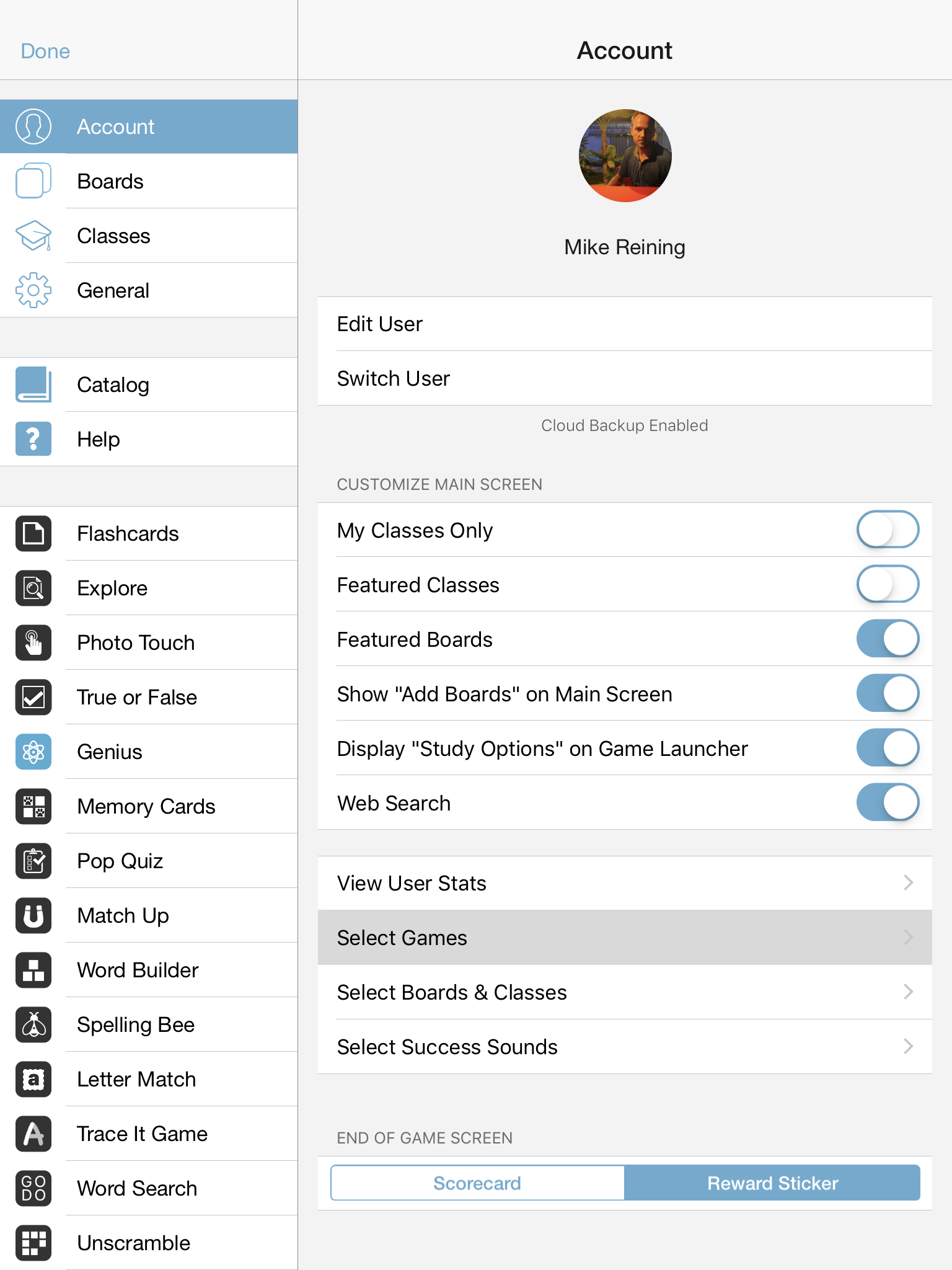
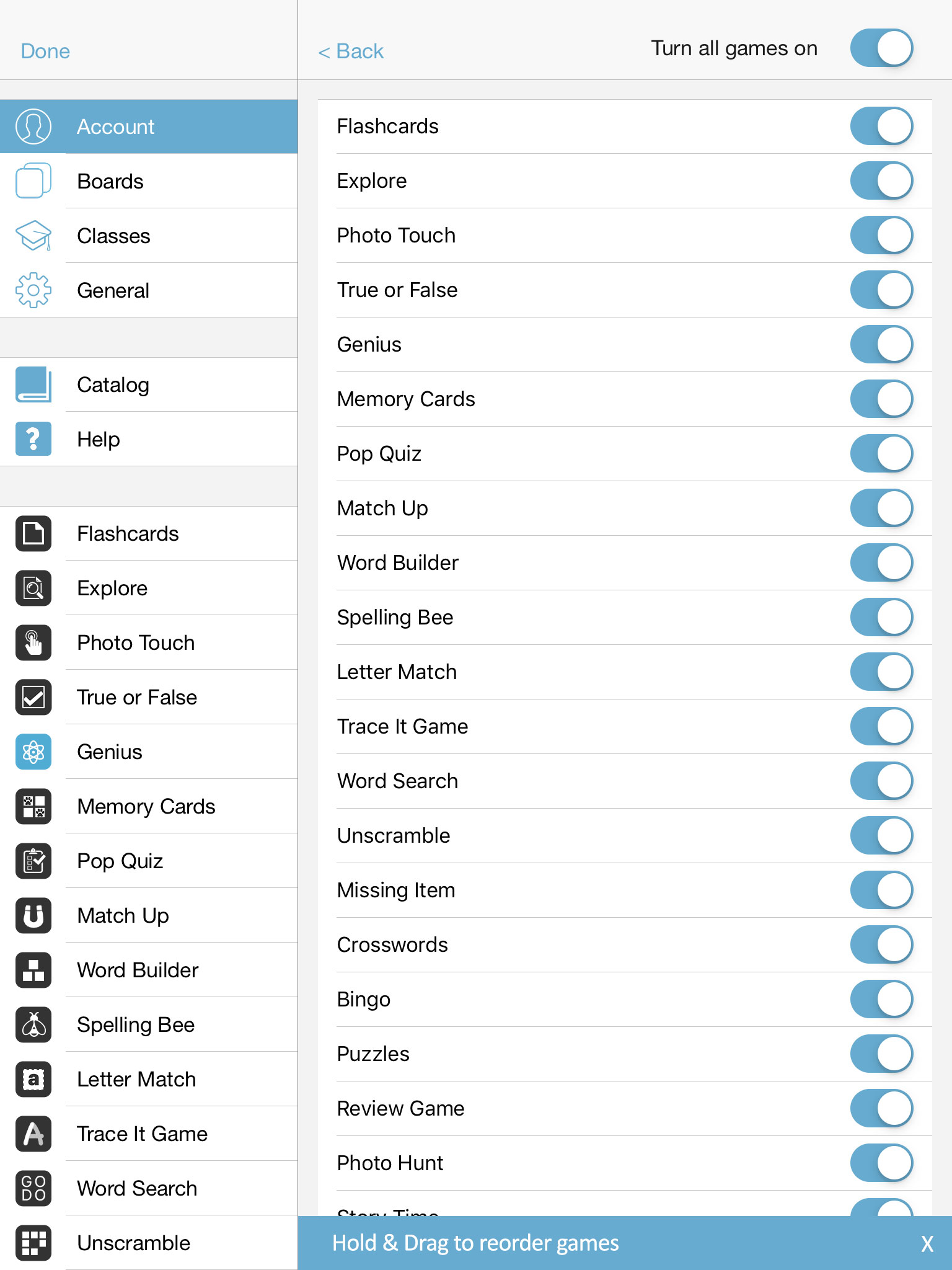
On the “Select Games” screen you can do two things
You can turn individual games ON or OFF
You can also Hold & Drag the games to move them into your preferred order. Whatever order your choose will be reflected both in the Sidebar in the Settings view and in the Game Launcher anytime you press on a board to start an activity.
IMPORTANT: If you reorder the games, this setting is device specific and will be the same for all users on the device.
Voila! You can now add dozens of students and quickly and easily customize the learning experience for each student.
Important Disclaimer & Boundaries:
Bitsboard provides educational activities and tracking tools for parents, teachers, and speech therapists. It is not a medical diagnostic or clinical treatment tool, and should be used to supplement, not replace, professional evaluation and therapy.
Governing Law: California, USA. For legal inquiries, please contact support@bitsboard.com.