
Support Center / faq
How do I change the username?
Step 1 - Go to the switch user pageFrom the main screen, press on the user icon in the top left. Step 2 - Press on the user nameNow press on the usern...
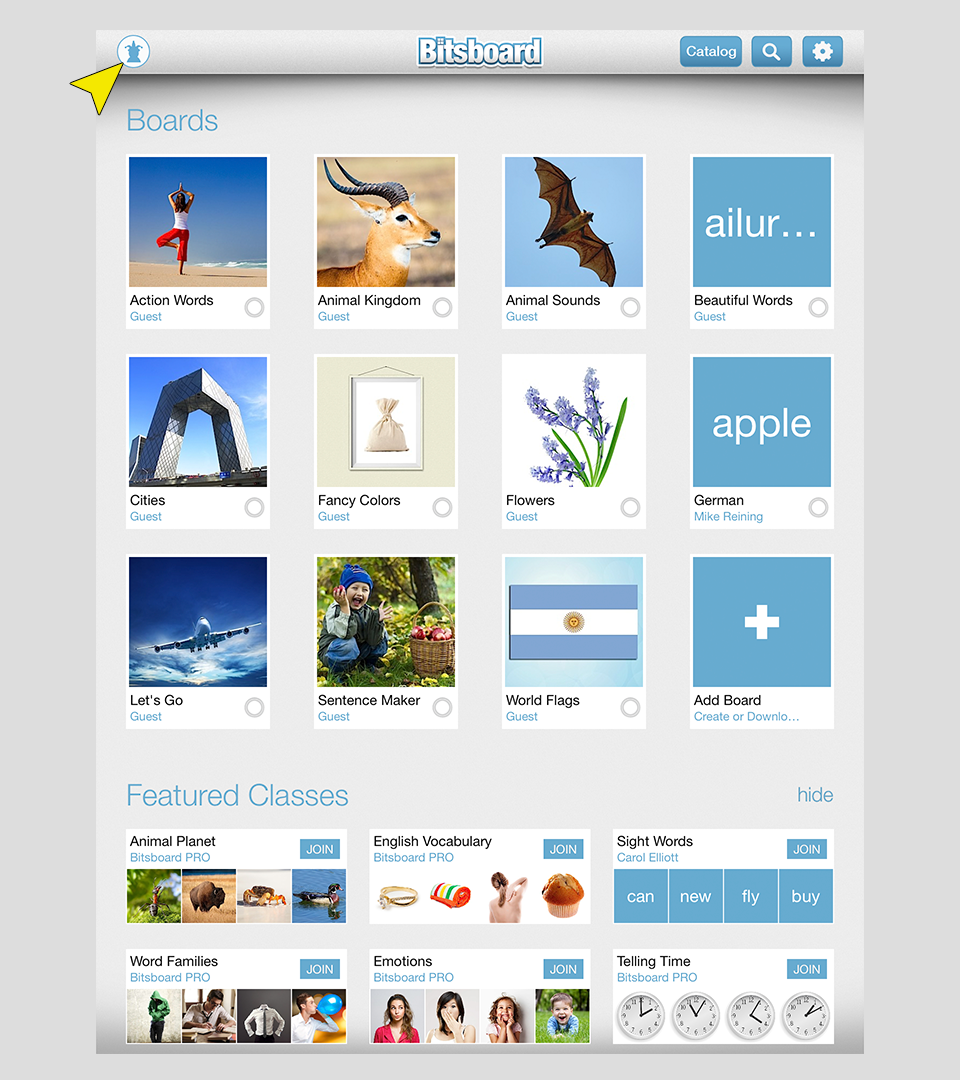
Step 1 - Go to the switch user page
From the main screen, press on the user icon in the top left.
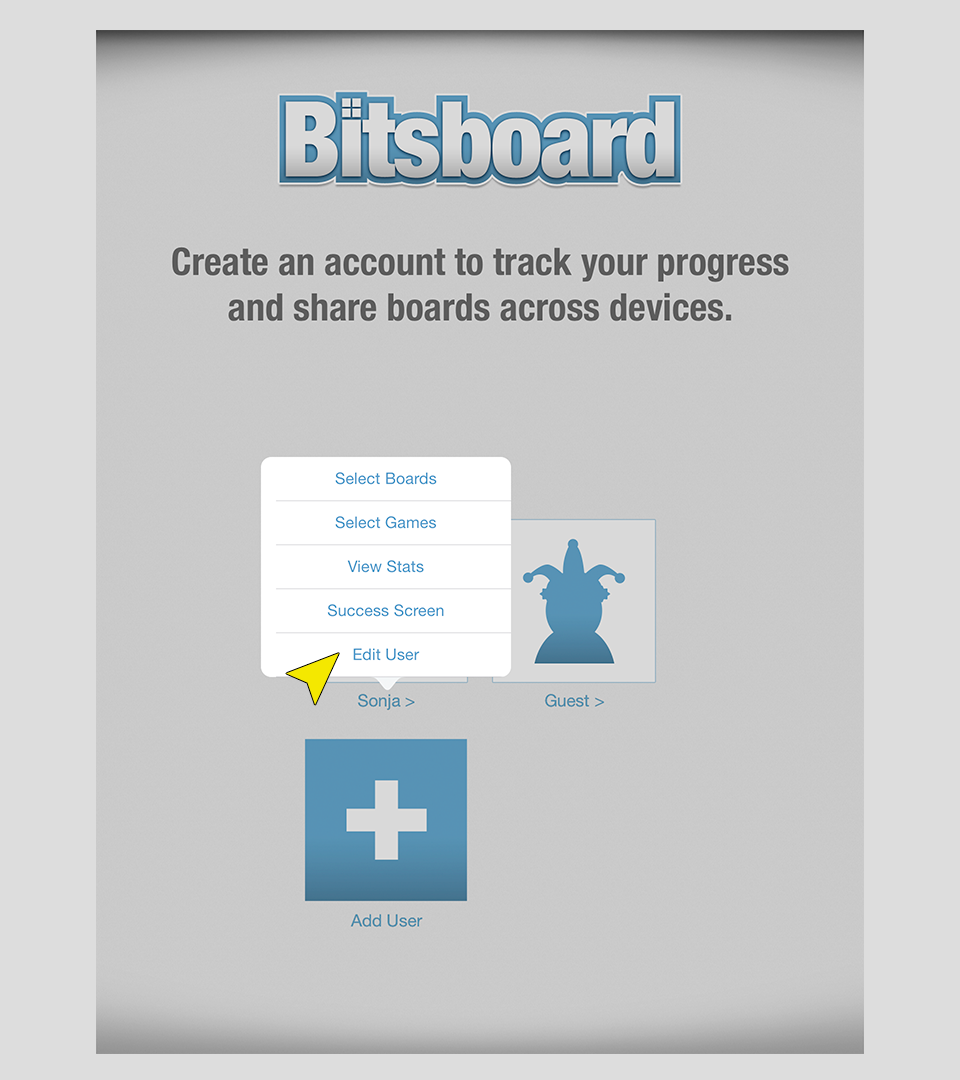
Step 2 - Press on the user name
Now press on the username (not the image... just the name) of the user that you want to delete. You will now see a menu pop up with multiple options. Press on "Edit user"
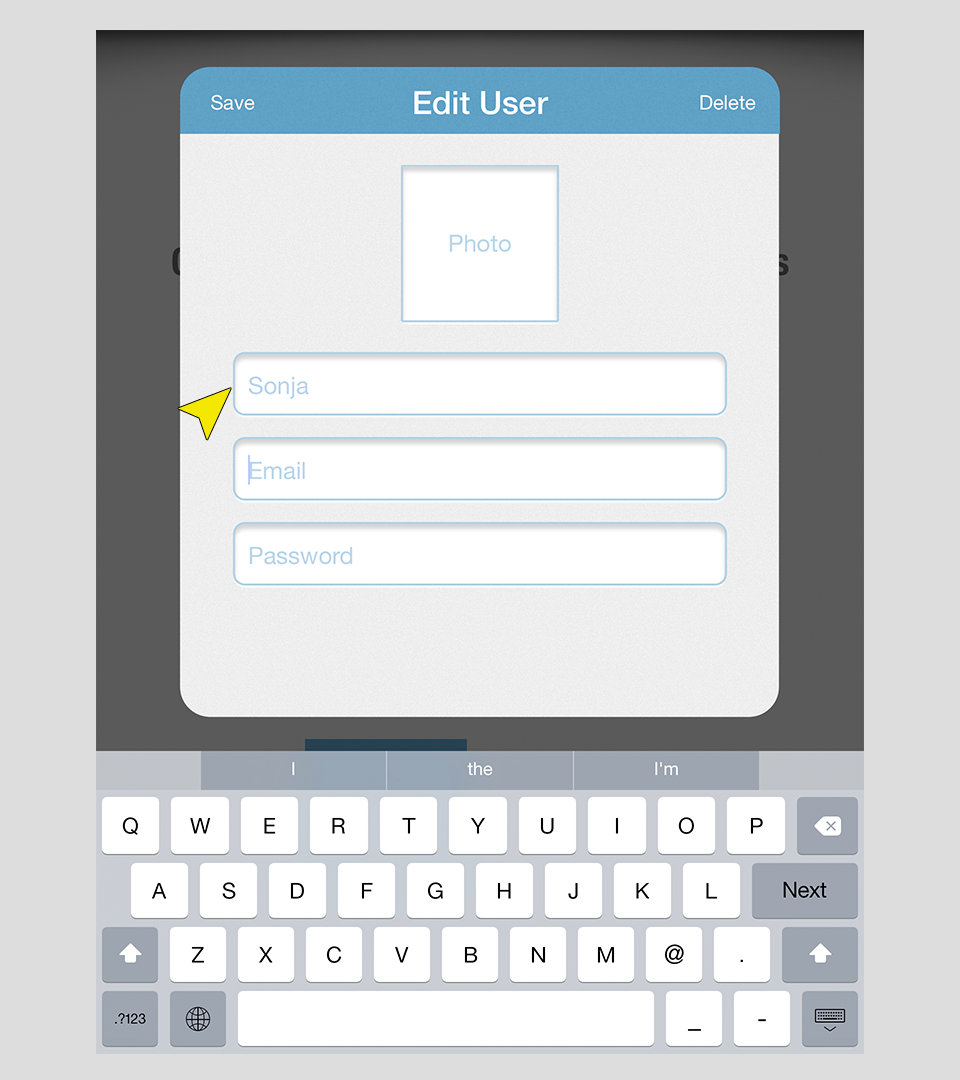
Step 3 - Change the name
Just press on the username to enter a new name.
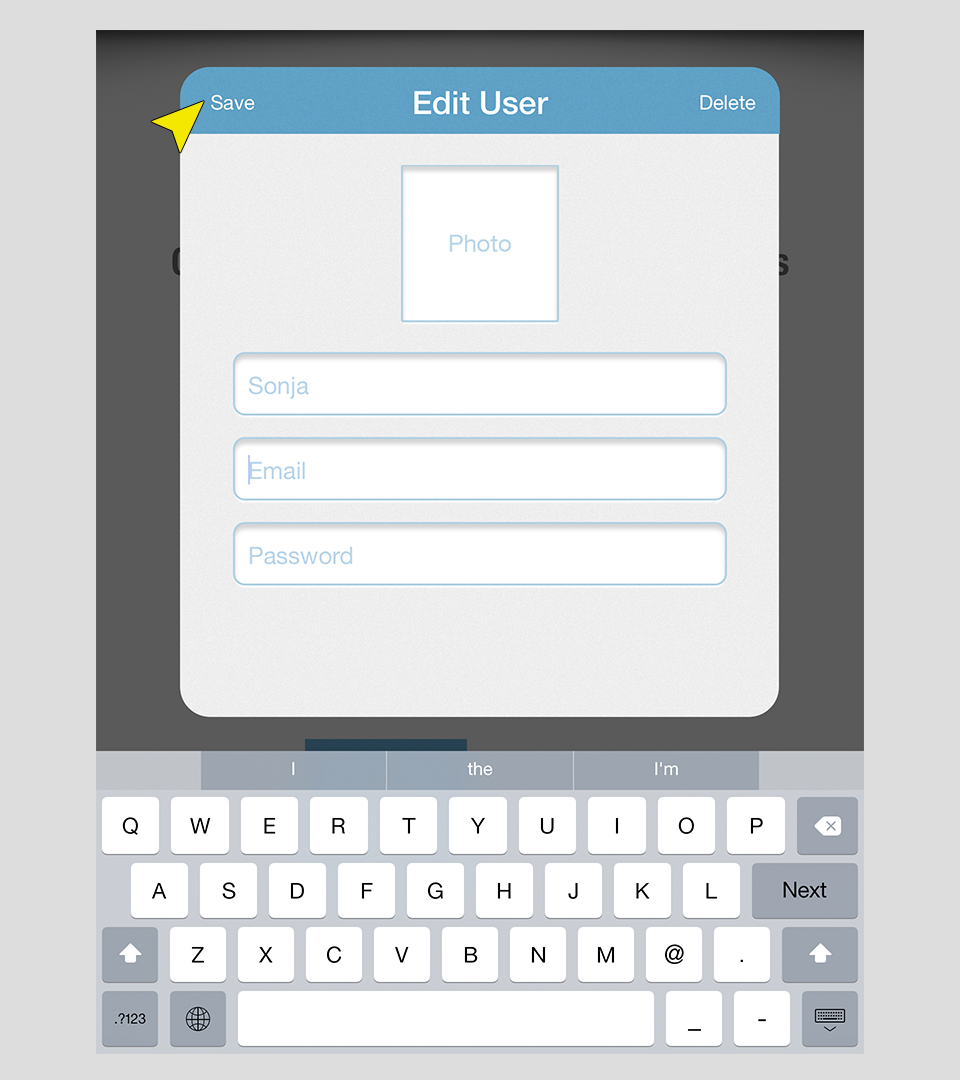
Step 4 - Press Save
Press on the save button to save your changes.
Now Available on iOS
Start Learning with Bitsboard
Unlock over 30 interactive mini-games, thousands of pre-made learning boards, and the power to fully customize your own lessons. Perfect for toddlers, students, educators, and speech therapists!
Download on the
App Store
4.8/5 stars • 2,560+ reviews